Debugging a Regression: Recalibrating the Workspace by Replaying Training Trajectories
On this page
In my last post, I trained ACT to reliably pick up a single yellow block and place it in a tray. The natural next step was to extend that to sorting: multiple colored blocks, multiple matching trays, same fixed workspace. I trained sort_blocks_by_color_act_v1 on 81 episodes from place-rectangle-colored-box, and it worked. But then several weeks later, it stopped working — and not in an obvious way.
The Symptom
Running the policy live, the arm would reach for the block but consistently close its grip early — before it actually got there.
I recalled that a couple weeks earlier I might have bumped into the robot setup in my workspace, so I suspected some kind of alignment issue, but it was hard to say for sure. A couple of tests pointed at something more specific than “the model is broken.” When I removed the block from the workspace entirely, the arm went to a rest position instead of executing the same motion — so it was still responding to what the camera saw. And moving the block to a different position did move the target: the arm reached closer to wherever the block actually was, just consistently short. The policy was clearly reacting to visual input; it was just slightly off.
My first guess was a training issue — maybe the model hadn’t fully converged — so I ran another 30k steps on top of the existing 30k-step run. The loss dropped further with sort_blocks_by_color_act_v2, but the behavior didn’t change at all. Something else was going on.
Isolating the Variable: Replay the Actual Training Data
Rather than keep guessing between “the model is bad”, “the cameras are misconfigured,” or “the physical setup shifted”, I wanted a test that could only implicate one of those. The idea: take the raw recorded action trajectories from my original training episode and play them back directly on the physical arm.
recorded training actions (from the dataset)
        ↓
physical SO-101
        ↓
does it reach the correct block?
If replaying an actual demonstration also misses, the model is innocent — it’s something about the physical setup relative to when that data was recorded. I did not traing the model to generalize across different robot and workspace placements, so why should it generalize. If replay lands correctly, the problem is in the model itself.
LeRobot 0.5.2 doesn’t ship a CLI for this, so with the help of Claude, I developed a small utility script. You can download the script here.
The workflow is: you pick an episode to replay, and the script pulls that episode’s recorded action trajectory straight from the dataset — no camera input, no policy inference. Before sending anything to the arm, it prints the episode’s first recorded state and waits for you to manually reset the workspace — block, trays, arm pose — to match that starting state as closely as you can. Once you press ENTER, it replays the exact same sequence of actions that was recorded during training, one frame at a time, at a speed you control. If the arm lands correctly on the block this time, your workspace is back in a matching configuration; if it still misses, your setup still doesn’t match training.
A few ways I ran it, from safest to most involved:
# Just print the first recorded state, no robot connection at all
python scripts/replay_episode.py --episode 0 --dry-run

# Replay episode 0 on the physical arm at 1/4 speed
python scripts/replay_episode.py --episode 0 --speed 0.25

# Same, but also open a Rerun viewer comparing the live feed to the
# original training clip side by side, so you can visually align before replay
python scripts/replay_episode.py --episode 0 --speed 0.25 --display-rerun

# Only stream live vs. original camera feeds for alignment — never sends
# an action to the arm, useful for pure camera/workspace calibration checks
python scripts/replay_episode.py --episode 0 --display-rerun --align-only

# Save the overhead camera's view of the replay to a video file
python scripts/replay_episode.py --episode 0 --speed 0.25 --record out.mp4
Here’s what a replay run actually looks like — resetting the workspace, pressing ENTER, and watching the arm reproduce the exact recorded trajectory and miss in the same way the live policy did:
By replaying the first episode from my training data, the error became very evident. The arm reaches down to grasp on object, but sometimes misses the block by a slight bit or grabs too far left so it grabs the left box with it as well.
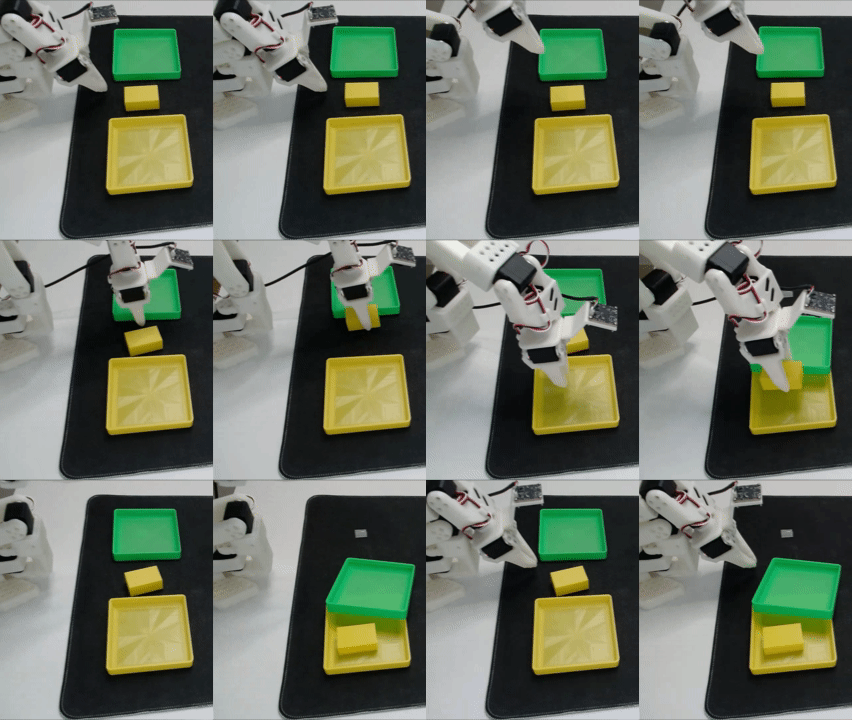
The first run confirmed it: the raw recorded trajectory also missed, off to the left. Same direction, same rough magnitude as the broken policy. That ruled out ACT/inference as the cause entirely — the recorded actions themselves no longer land on the correct physical target. This had to be a change in the physical geometry: the robot base, the trays, or my calibration had shifted relative to where they were during data collection.
Watching Live vs. Original Side-by-Side, in Rerun
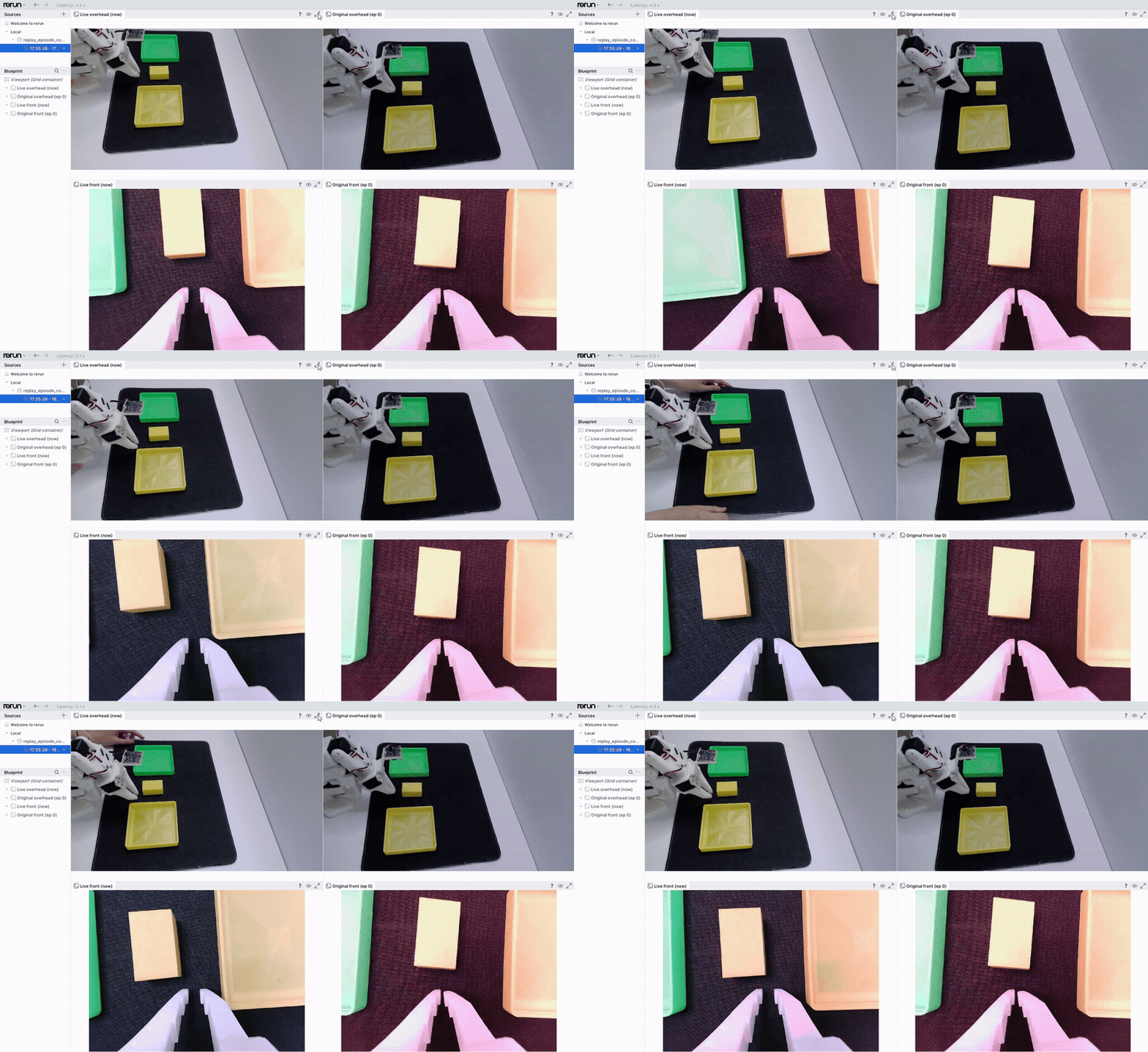
Confirming that there was a mismatch was step one. Actually recalibrating the workspace meant repeatedly moving the base/trays back and re-checking, which is painful to do by eyeballing a single camera feed against a mental image of the training video. So I extended the replay script to open a live Rerun viewer showing the live camera feed next to the original training clip for the same episode, side by side, for both the overhead and front cameras:
rr.init("replay_episode_comparison", spawn=True)
rr.send_blueprint(
    rrb.Blueprint(
        rrb.Grid(
            rrb.Spatial2DView(origin="live/overhead", name="Live overhead (now)"),
            rrb.Spatial2DView(origin="original/overhead", name=f"Original overhead (ep {episode})"),
            rrb.Spatial2DView(origin="live/front", name="Live front (now)"),
            rrb.Spatial2DView(origin="original/front", name=f"Original front (ep {episode})"),
            grid_columns=2,
        )
    )
)
The original clips are decoded straight out of the dataset’s mp4 files with OpenCV (cv2.VideoCapture, forcing the FFMPEG backend rather than the Windows default, which had its own threading quirks reading from a background thread) — sidestepping the same torchcodec issue as before:
def open_original_video_reader(dataset, episode, video_key):
    video_path = dataset.root / dataset.meta.get_video_file_path(episode, video_key)
    ep_meta = dataset.meta.episodes[episode]
    start_frame = round(ep_meta[f"videos/{video_key}/from_timestamp"] * dataset.meta.fps)

    cap = cv2.VideoCapture(str(video_path), cv2.CAP_FFMPEG)
    cap.set(cv2.CAP_PROP_POS_FRAMES, start_frame)
    return cap, start_frame
Before pressing play, the script shows the first frame of the original clip as a static reference next to a continuously updating live feed — so I could physically nudge the trays and camera while watching both panels at once, until the live scene visually matched the training frame:
# Static reference frame — logged once, does NOT advance during calibration
original_first_frame[cam_key] = rr.Image(cv2.cvtColor(orig_bgr, cv2.COLOR_BGR2RGB))

def _preview_loop():
    while not stop_preview.is_set():
        rr.set_time("frame", sequence=pn)
        for cam_key in camera_keys:
            live_img = robot.cameras[cam_key].read_latest()
            rr.log(f"live/{cam_key}", rr.Image(live_img))
            rr.log(f"original/{cam_key}", original_first_frame[cam_key])  # stays frozen
Only after pressing ENTER does the “original” panel start actually playing forward, in lockstep with the recorded actions being sent to the arm — so during replay itself, you watch the live arm’s motion against the original demonstration’s motion, frame for frame, on both cameras simultaneously.
The goal is simple to state: get the left panels (live feed) to match the right panels (the original training feed) as closely as possible. Here’s that in practice — nudging the base and trays while watching both panels update:
Overlay: Making “Off” Actually Visible
Side-by-side comparison sounds like it should be enough, but in practice it’s genuinely hard to judge alignment by eye across two separate panels — something can look “close enough” for a while even though it’s still meaningfully off. So I added an overlay mode: instead of two panels, it alpha-blends the live feed and the frozen first frame of the original clip into one panel, at 50% transparency each (--overlay, alongside --display-rerun). Any misalignment between the two shows up directly as a lighter, ghosted double image — the more transparent and doubled things look, the further off you are; once the live feed and the training frame are truly aligned, the ghosting disappears and it reads as one solid image.
This was dramatically more effective than eyeballing the side-by-side panels. I hadn’t realized how far off my workspace actually was until the ghosting made it obvious — what looked “close enough” side by side turned out to still be visibly doubled under the overlay, and recalibration that had been slow and uncertain became fast and unambiguous.
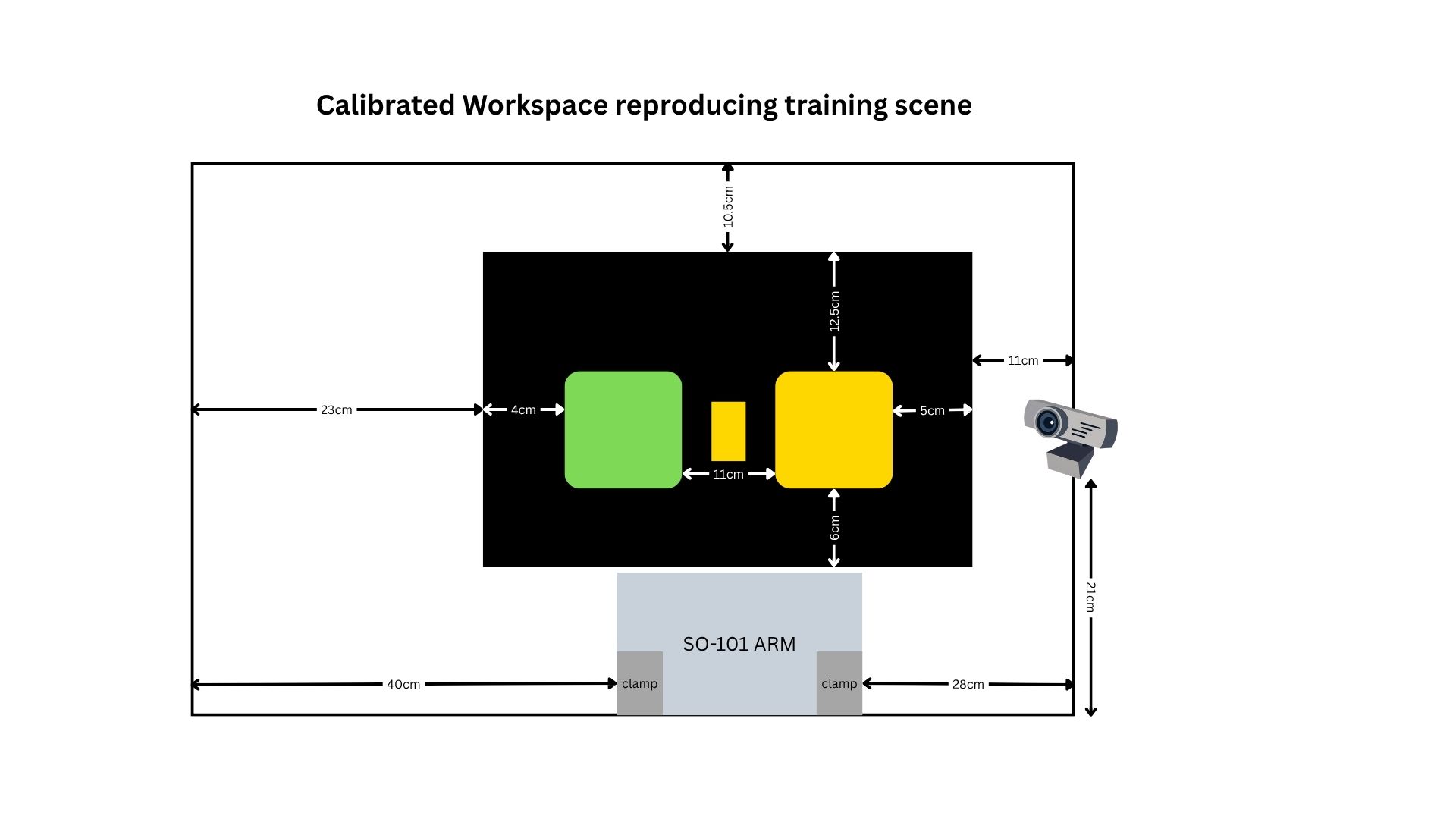
This is what the corrected setup looks like:
The Fix Was Trial and Error, Not a Formula
There’s no clean closed-form way to compute “the robot base moved 3cm left, rotate 2 degrees” from two camera images. What actually worked was iterative: nudge the base or a tray a little, replay episode 0, and check the overlay — did the ghosting get lighter or heavier than before — and repeat. The overlay made this fast and precise — I could see immediately whether an adjustment helped or made it worse, instead of running a full rollout and reasoning backward from where the gripper ended up.
After a few rounds of this, replaying the same episode landed the gripper correctly on the block again — confirming the geometry was actually fixed and not just “closer.”
What This Diagnostic Framework Gets You
The general pattern is worth keeping around for any imitation-learning setup with a fixed workspace:
| Test | Rules out |
|---|---|
| Pure rollout, no recording | Initial diagnostic |
| Remove the block entirely | Policy blindly executing a fixed trajectory regardless of input |
| Replay raw training actions, no policy, no cameras | ACT inference/model itself |
| Replay lands correctly after physical adjustment | Confirms the fix, without needing to re-run the policy at all |
The replay test is the important one here — it’s a way to ask “is this a physical setup problem or a model problem?” without needing to trust your own read on a live policy rollout, which is noisy and easy to over-interpret. If I’d skipped straight to retraining or tweaking inference hyperparameters, I’d have burned a lot of time without ever touching the actual cause.
Next up: now that the workspace is back in a known-good state, I’m re-evaluating whether sort_blocks_by_color_act_v2 is actually well-converged, or whether the harder multi-color task needs more training or more data per color to match the reliability of the single-color model. More on that soon.